All Naive Service Workers Eventually Die

A Post-Mortem on Offline-First Web Apps under Intermittent Connectivity
بسم الله الرحمن الرحيم
Not too long ago, I was visiting a local mosque (and community center) that I frequent and noticed that the slideshow display in the main hall wasn’t working. After some discussion with one of the admins, we proposed a new slideshow display to replace their defunct display they had at the time. The new display would be a web app that achieves feature-parity with the previous version and adds some extra conveniences.
The first version of the slideshow was deployed to the center just a couple of days after the proposal. About 16 hours later, I received the first complaint:
“Hey, it seems the slideshow has stopped working?“
Attached was a photo that looked something like this:
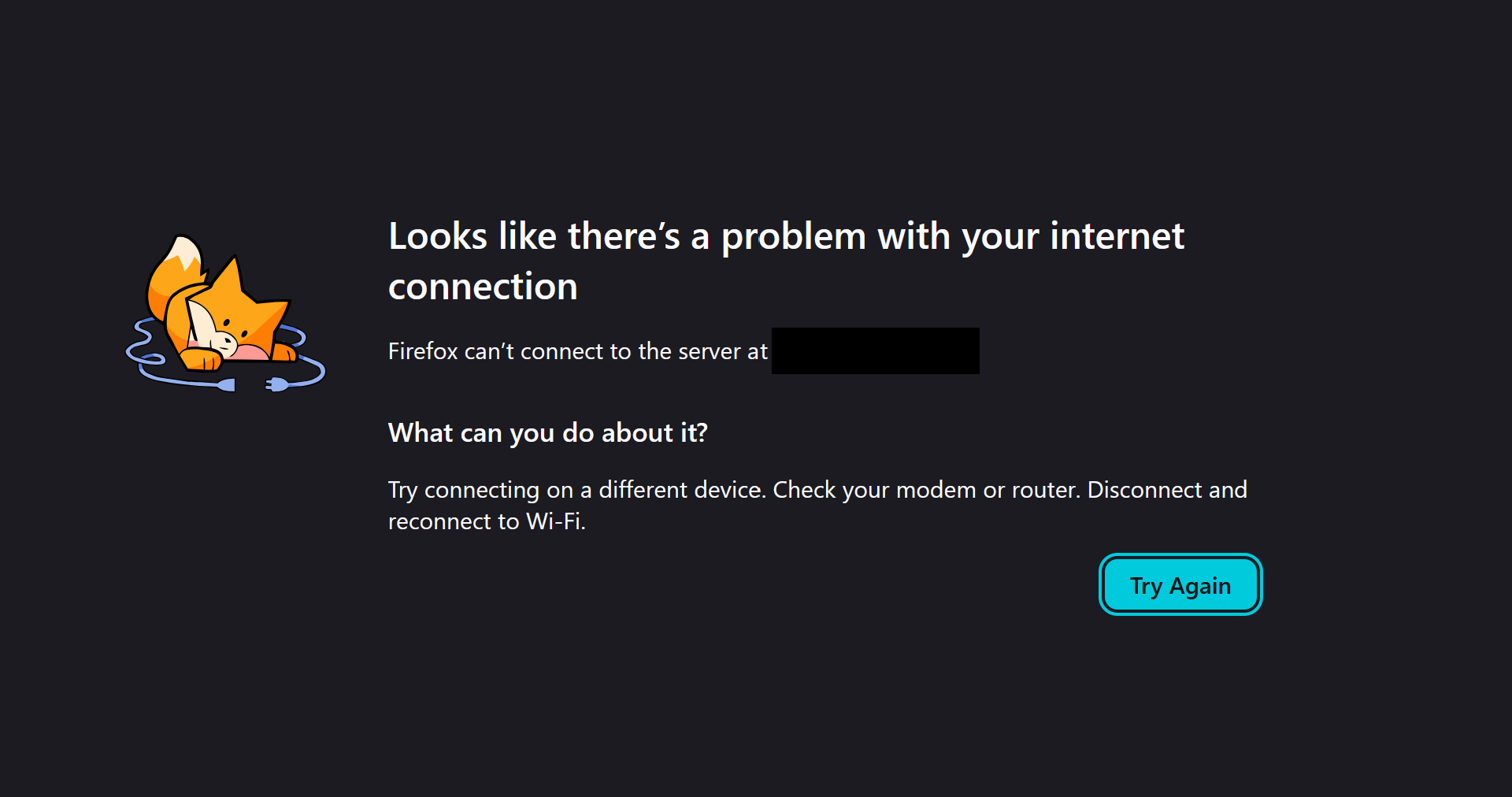
I was bewildered, as the device running the slideshow had around-the-clock network access via ethernet. After some testing it appeared that the center’s internet was significantly poorer than expected. Multiple times per day, the internet connection would drop for minutes at a time despite using ethernet.
Knowing this, I could have taken the simple route and packaged the app in Electron or Tauri and effectively bypassed this issue entirely. However, this would make updates significantly more difficult, so I decided it wasn’t the right solution.
The Notorious Service Worker
This is when I was introduced to the main hero (and villain?) of the post, the notorious Service Worker (SW). Simply put, a SW is a background thread that intercepts HTTP requests made by a web app within its scope. Whenever a request is made, the SW is notified and can decide how to handle it. It can allow the request to continue as usual, return a file stored on the user's file system, transform the request to fetch a resource from another domain, etc. The possibilities are endless here really. Here’s a quick example of a SW:
// serviceWorker.js
self.addEventListener("fetch", (event) => {
  event.respondWith(handleRequest(event))
})

async function handleRequest(event) {
  const {request} = event
  const cached = await caches.match(request)
  // if not saved on local file system fetch from network
  if (!cached) {
    return fetch(request)
  }
  return cached
}

// index.js
navigator.serviceWorker.register('/serviceWorker.js')
After some quick research on SWs, I decided they are right choice for this project. It wouldn't require any significant architectural changes and updates would be easy-peasy. Only 3 changes were needed:
- Every time the root
index.htmlpage is requested it should be fetched via network and cached for later use. If the request fails, have the SW return the cached version (aka network-first policy). - During startup or after a refresh, the app would cache all source files (css, js, images, etc.) and delete any stale files. If a source file is found on disk have the SW return it, otherwise request it via network (aka cache-first policy). For this to work correctly all source files should be hashed, which automatically occurs with build tools like Vite.
- Every once in a while, maybe an hour or so, update the app by refreshing the window using something like the
location.reloadAPI.
With these changes, the app would fall back to the older cached version under poor network conditions and try again later. This should have prevented poor network conditions from crashing the app, or so I thought…
Firefox Puts You in the Timeout Corner
Just 48 hours later after deploying the updated app with a SW and manually restarting the slideshow I received a message (at 6AM no less) about the slideshow not displaying any content, with this image attached:
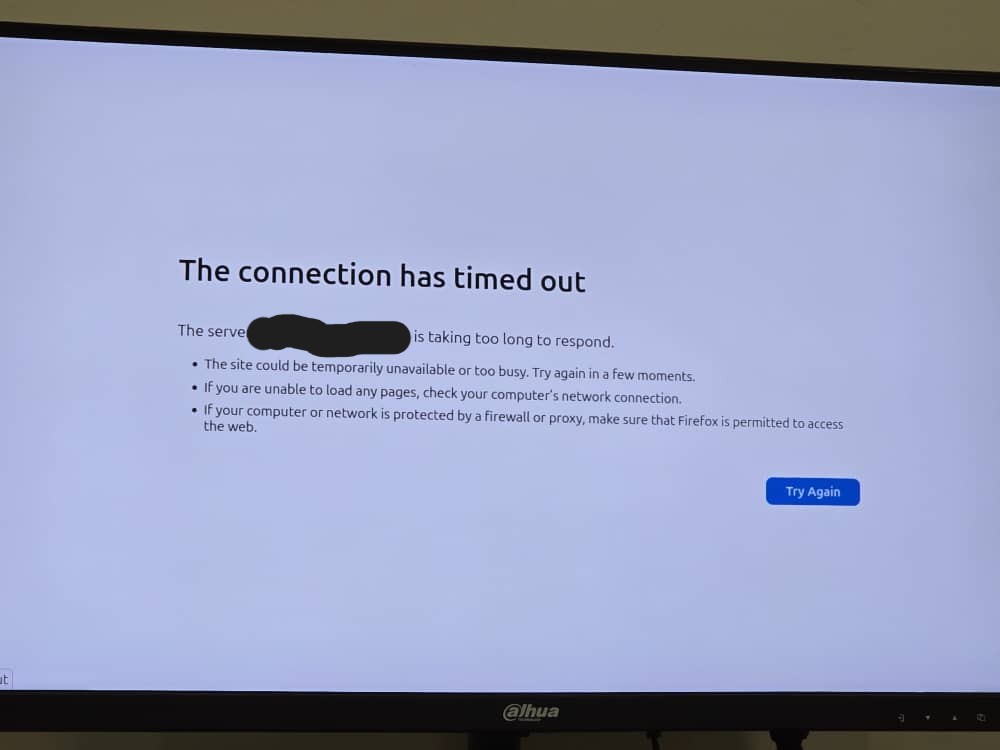
This left me more confused than the previous time. I had accounted for poor network conditions and expected that files be served from cache under those conditions and NOT crash the app. However, upon further investigation it appeared I had forgotten to account for one sneaky edge case: when the network is technically connected but a request hangs for too long, forcing the user-agent (Firefox browser in this case) to kill the SW.
Discussions online seem to indicate that the upper bound for SW activity, including HTTP requests, is 5 minutes. In other words, if a SW performs a network request for longer than 5 minutes the user-agent will kill the request and return an error. However, in my testing, Firefox consistently killed the SW after ~90 seconds and returned the lovely error you see in the screenshot above.
Now you can probably imagine the full extent of the disaster. With my previous SW implementation if ANY request for the root index.html page times out and is killed by the user-agent, an error response is returned. This would occur even if every app file - including the older cached version of index.html - were already cached on disk! In fact, even if the entire handleRequest function in the SW were wrapped in a try-catch block (which mine was) the result would be the same.
The solution? Add timeouts to SW requests that are shorter than the user-agent’s maximum timeout. Continuing from the previous example, update the handleRequest function like so:
const TIMEOUT_MILLIS = 30_000 // 30 seconds
const INDEX_NOT_CACHED_RES = new Response(
  "failed to get index.html",
  {status: 500, statusText: "NET ERR"}
)
async function handleRequest(event) {
    const {request} = event
    const url = new URL(request.url)
    const isRootPage = (
      url.pathname === "/"
      || url.pathname === "index.html"
    )
    if (isRootPage && url.origin === location.origin) {
      try {
        return await fetch(request, {
          // prevent the user-agent from killing the request
          signal: AbortSignal.timeout(TIMEOUT_MILLIS)
        })
      } catch {
        const cachedRoot = await caches.match("/")
        return cachedRoot || INDEX_NOT_CACHED_RES
      }
    }
    const cached = await caches.match(request)
    if (!cached) {
      return fetch(request, {
        // optional, but results in better UX
        signal: AbortSignal.timeout(TIMEOUT_MILLIS)
      })
    }
    return cached
}
After adding these few lines of code and manually restarting the slideshow for a second time a few weeks ago, I haven't received any complaints or angry 6AM messages. Phew, peace at last!
Conclusion
The takeaway: add timeouts to your SW requests, especially when using a network-first strategy. This is particularly true if you need to create truly offline-first web apps that are resilient to poor network conditions.
Another lesson I learned is that you should think twice before using a conventional webpage for apps that need to run for long continuous durations like slideshows or kiosks. Having to consider the offline versus online states and a couple of other issues related to the browser platform specifically (e.g. auto-play policy) made this project a little more of a headache than I would have liked. However, maybe I'll leave that rant for another post.
Anyhow, see ya next time and don't forget to eat your veggies!

{ and say: O lord increase me in knowledge } (20:114)